EC-RAG Experience Guide
This guide explains how to enable, configure, and use Experience capabilities within EdgeCraftRAG (EC-RAG). It covers the creation and management of experience to enhance the answer quality
Overview
Experience refers to the knowledge and skills acquired through practical involvement, trial, and reflection, serving as a key foundation for solving real-world problems. In EC-RAG we now provide abilities to add such experience for the reference of your Chat.
Before use Experience, please make sure Milvus VectorDB is enabled and below env is set:
export METADATA_DATABASE_URL="http://${HOST_IP}:19530"
Creating An Experience
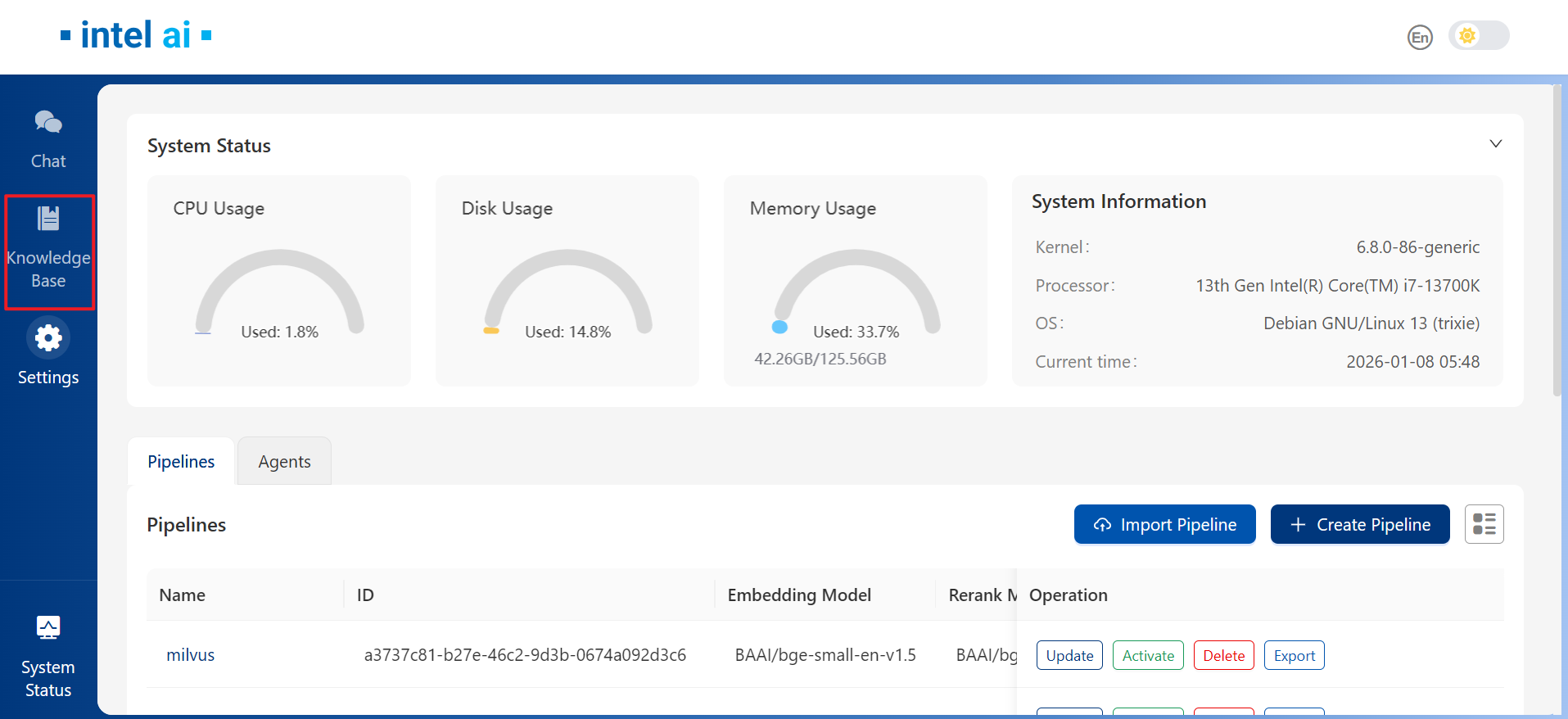
Upon successful deployment of EC-RAG, we may navigate to Knowledge Base tab from the left panel:
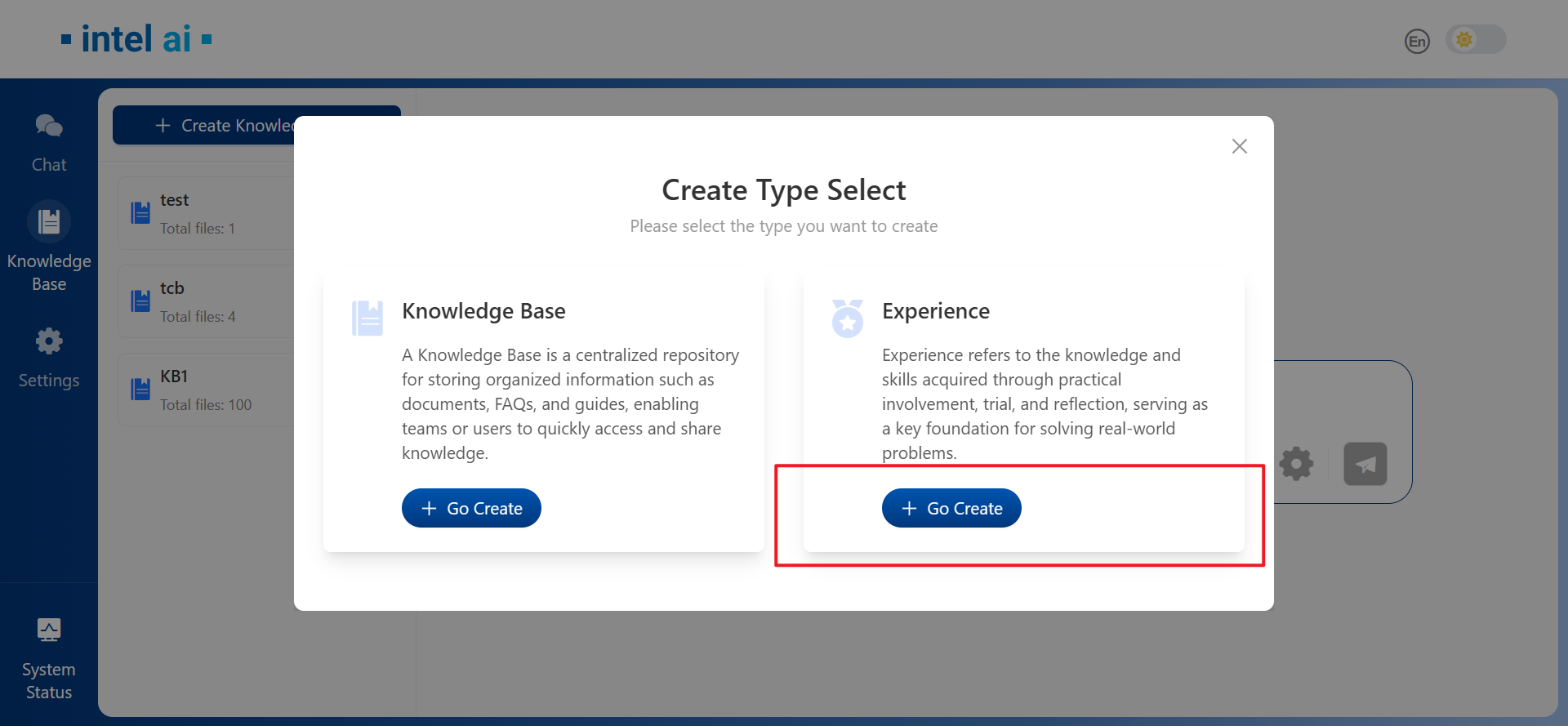
Then in the Create Type Select windows, choose Go Create Experience:
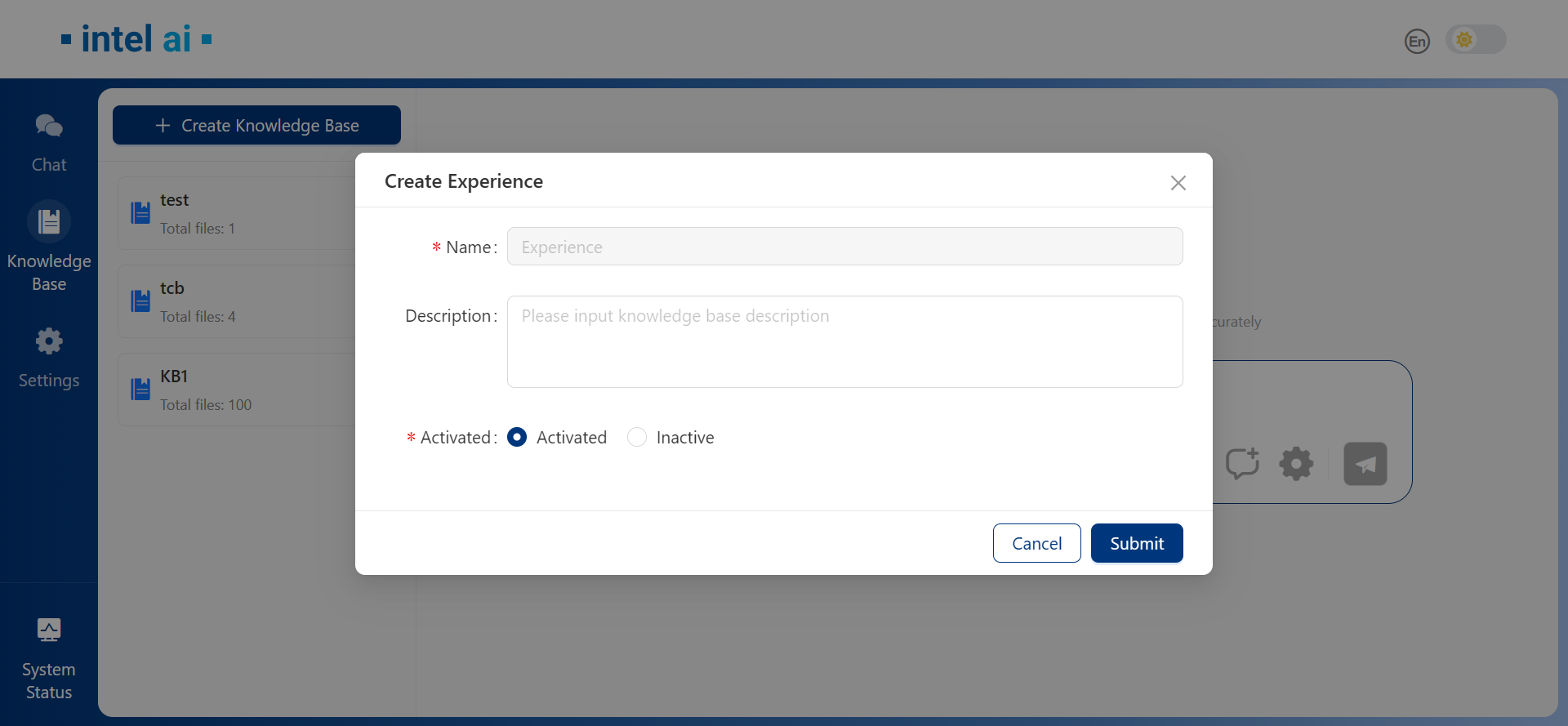
In the next windws, we can set Experience to Activated or Inactive, this could also be changed after creation of Experience:
Managing Experiences
Add Experiences
After successfully created Experience, Experience tab would be available with Unique tag:
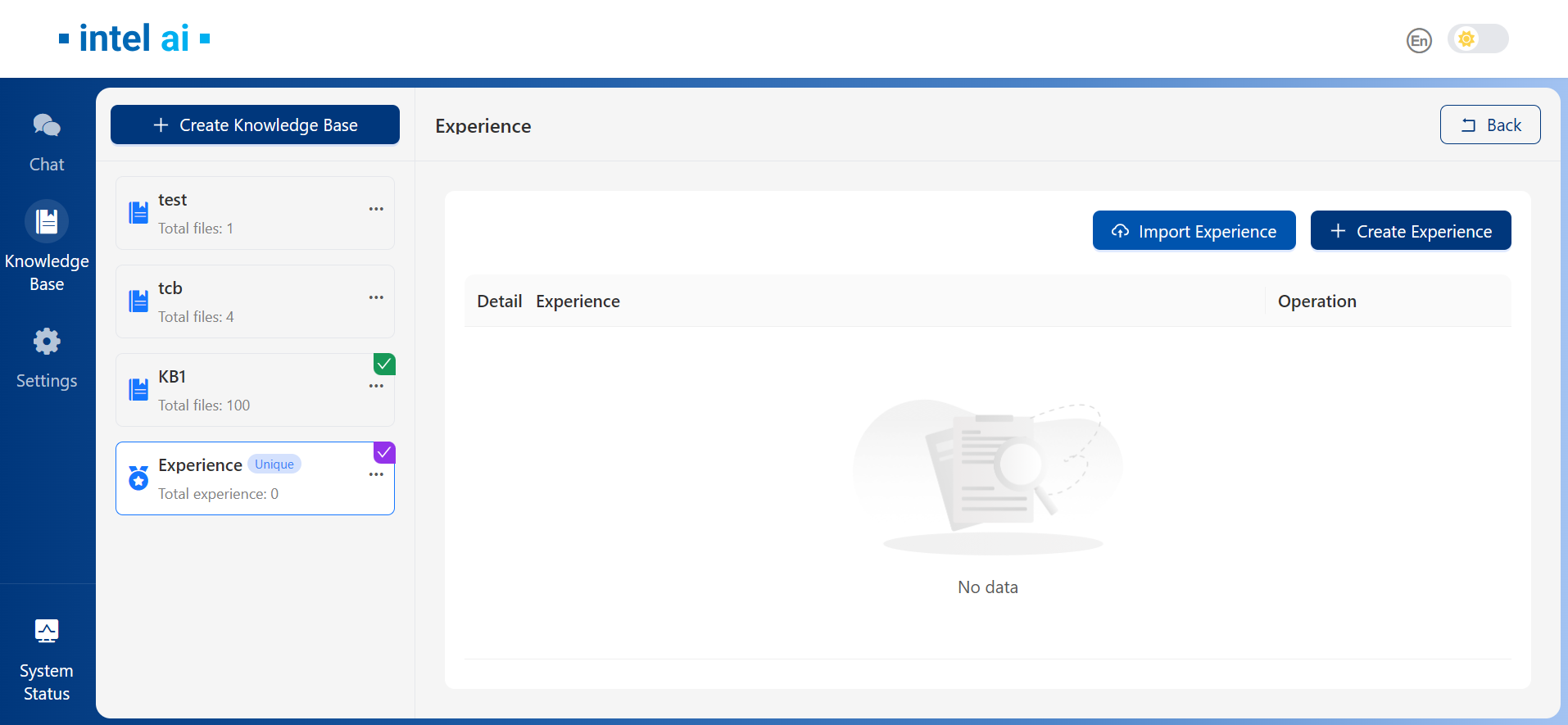
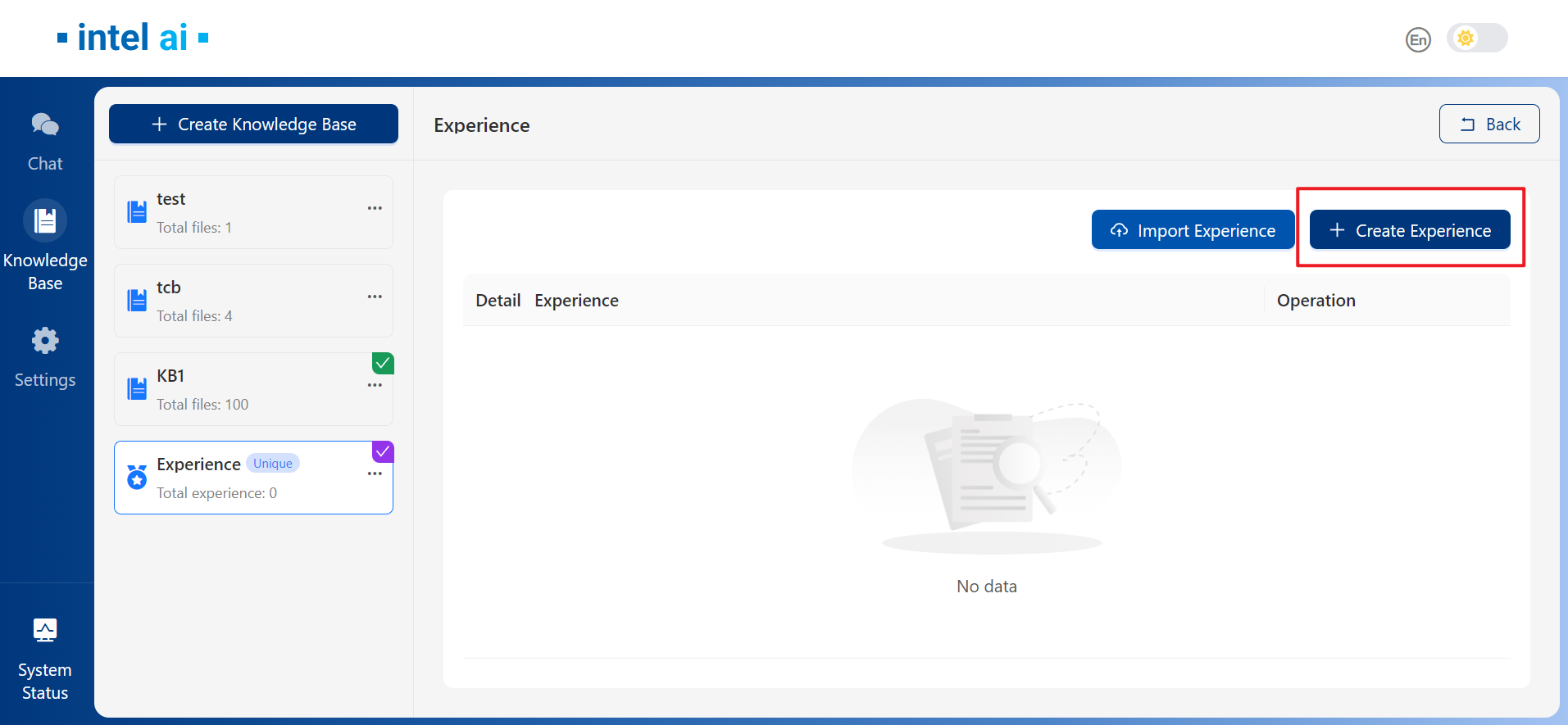
To add new experience, select Create Experience from the right panel:
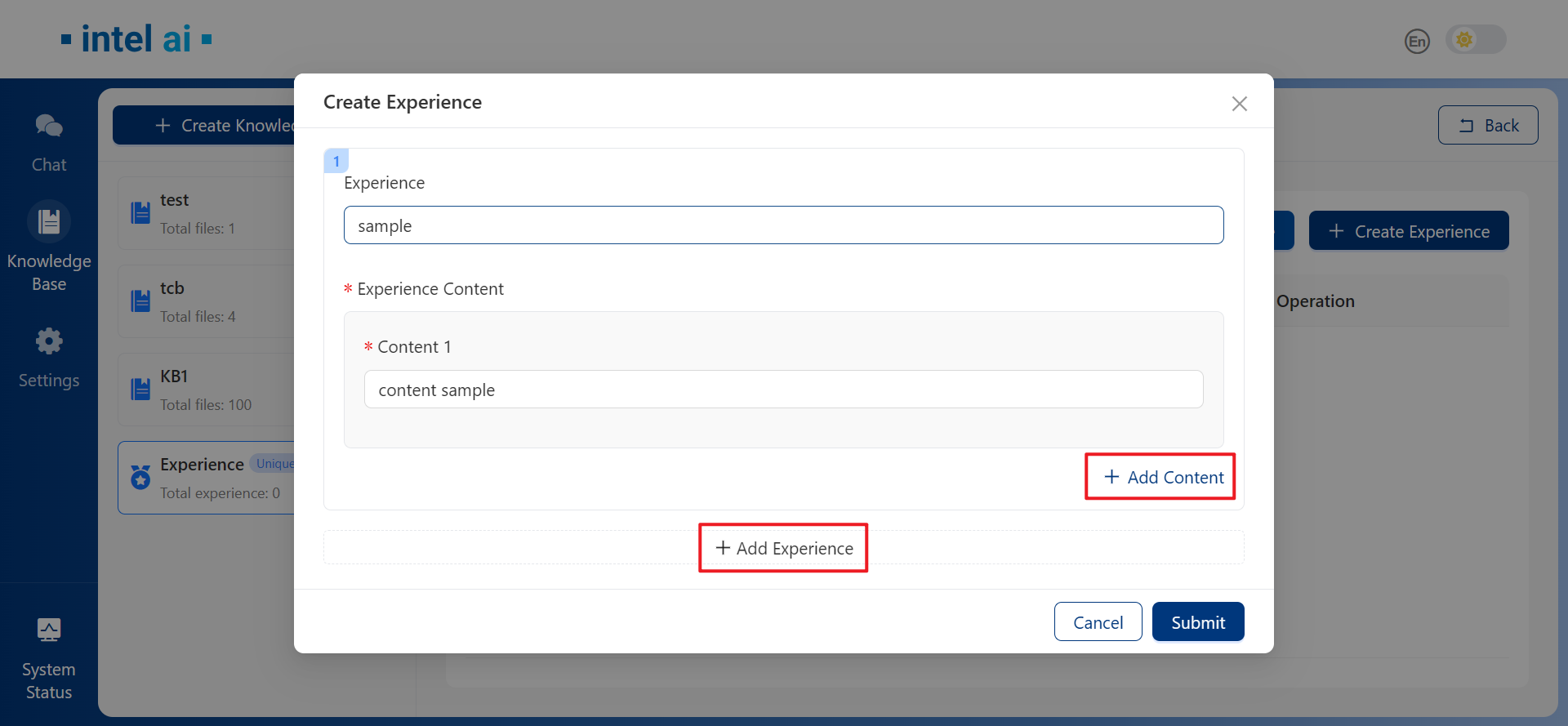
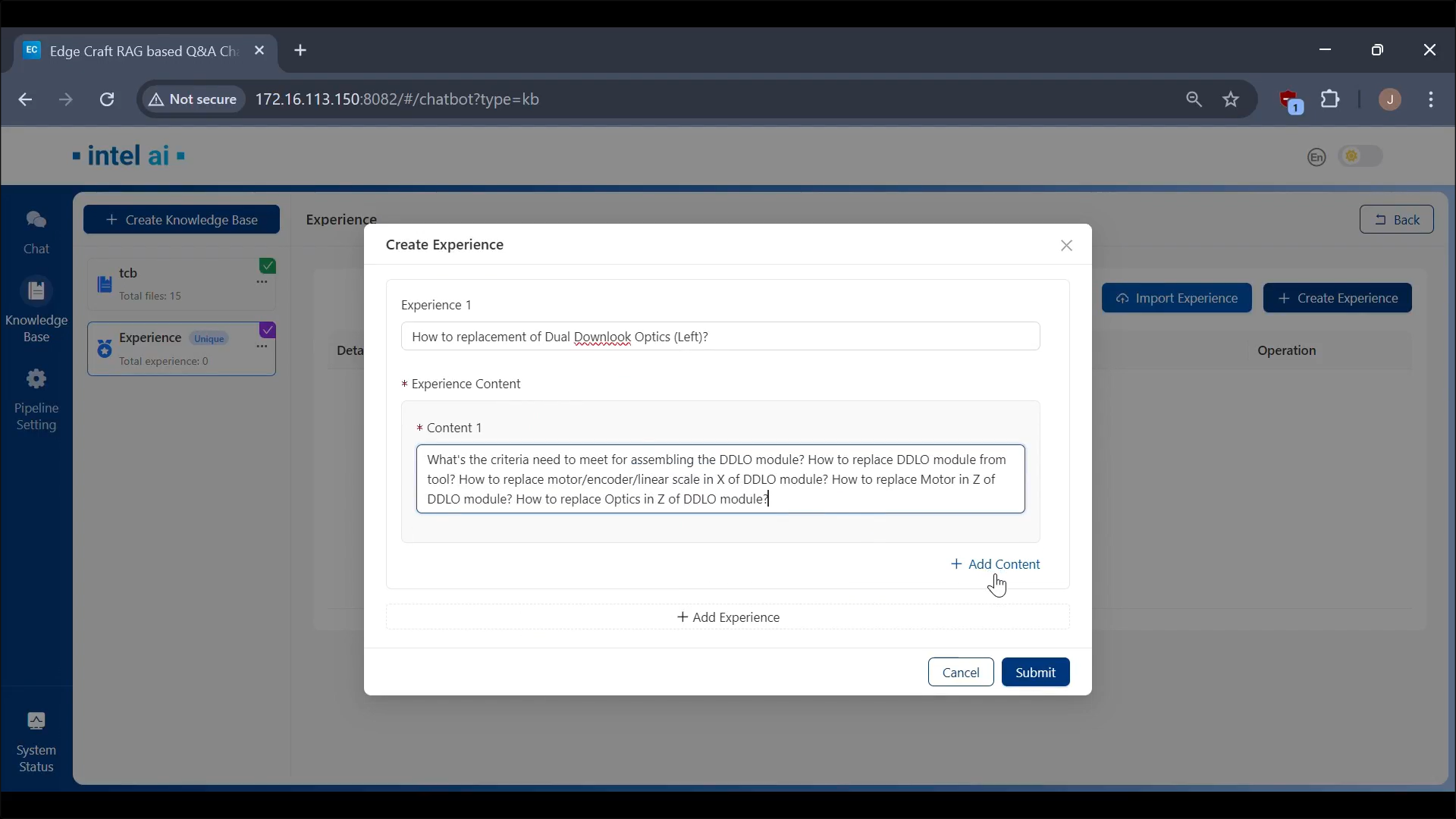
In the Create Experience window, we could add experience and its corresponding content as needed, multi experience creation is supported:
View and Edit Experiences
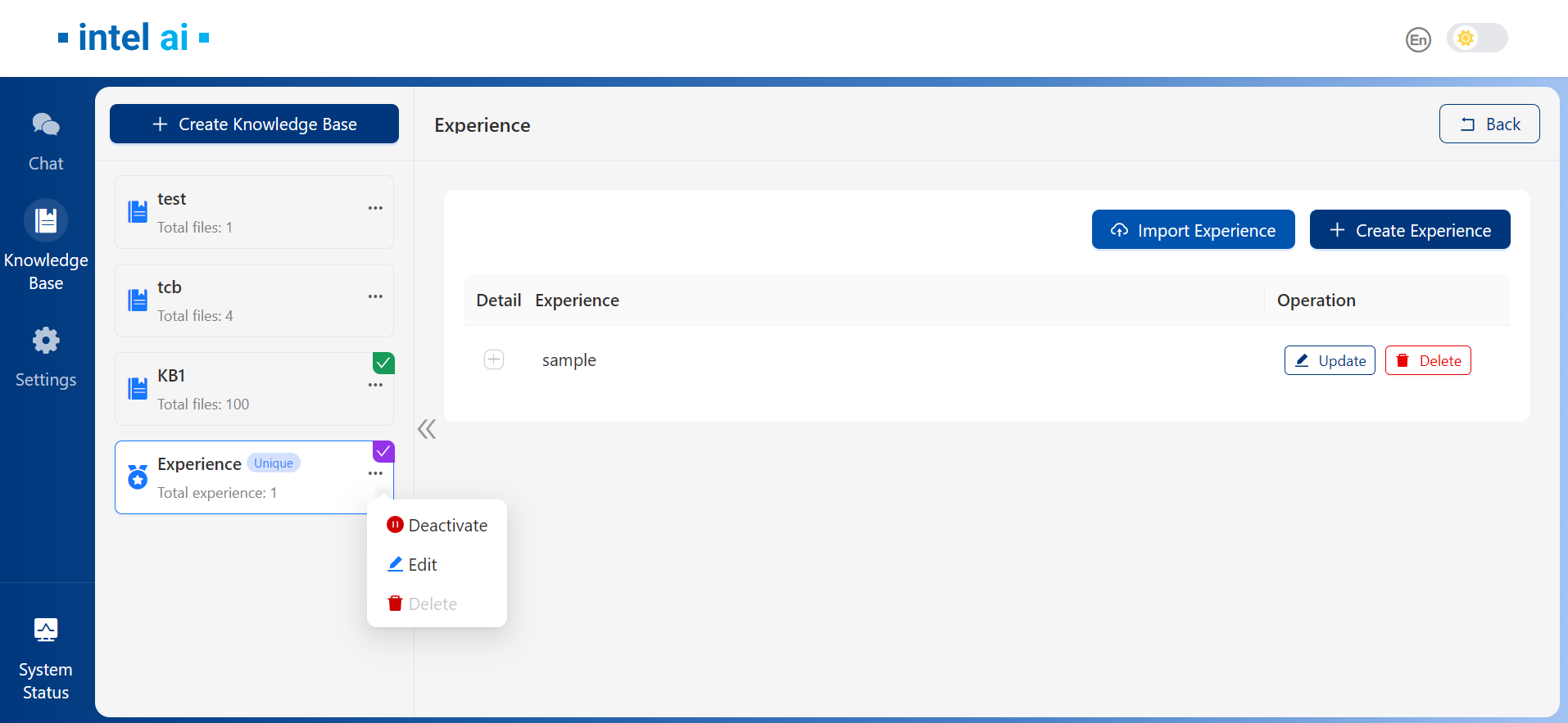
After experience added, they will be shown in list under Experience tab. We could toggle the + sign to show experience content details. Use the three dots next to Experience to activate or deactivate a Experience Base:
Examples
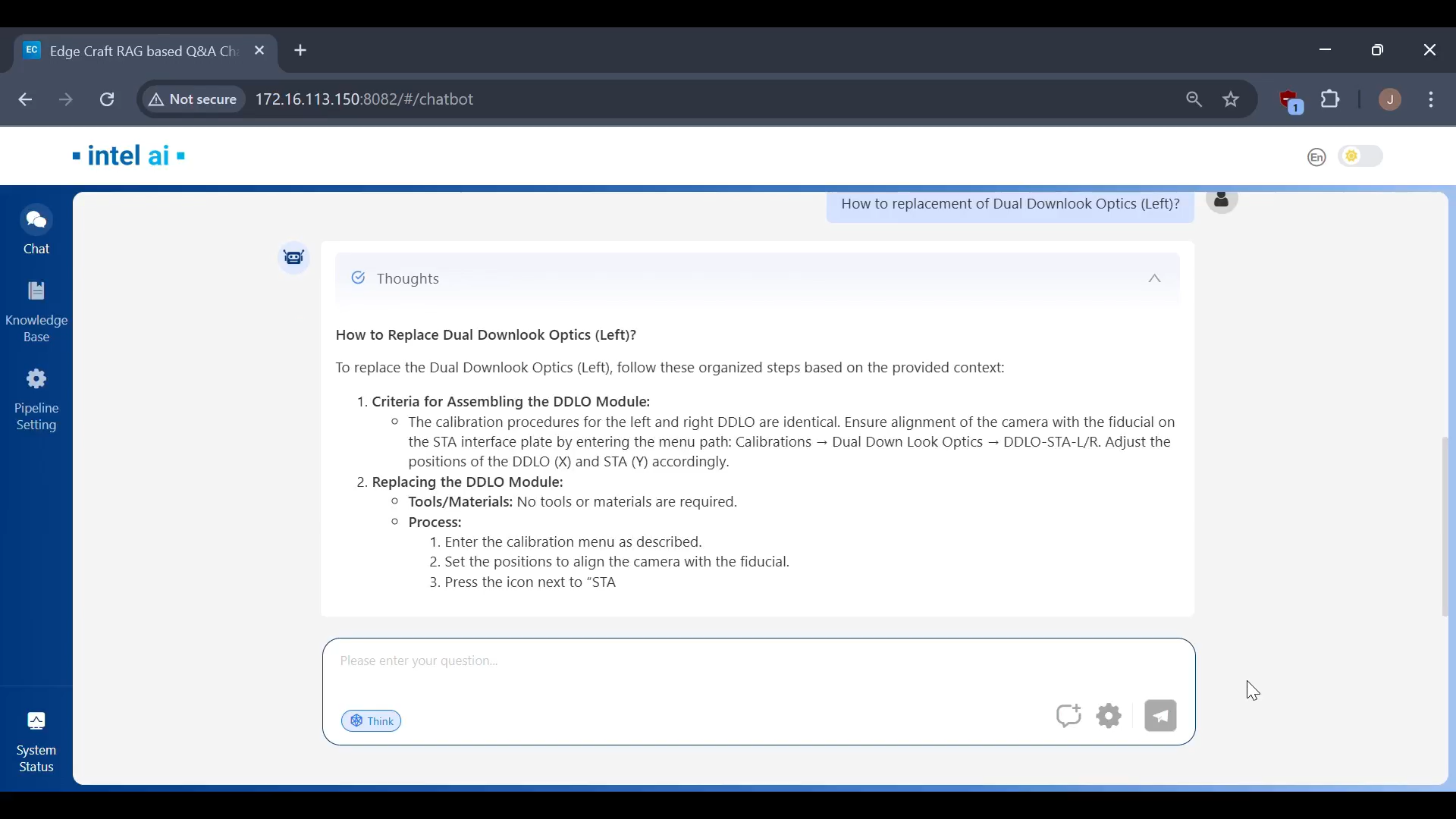
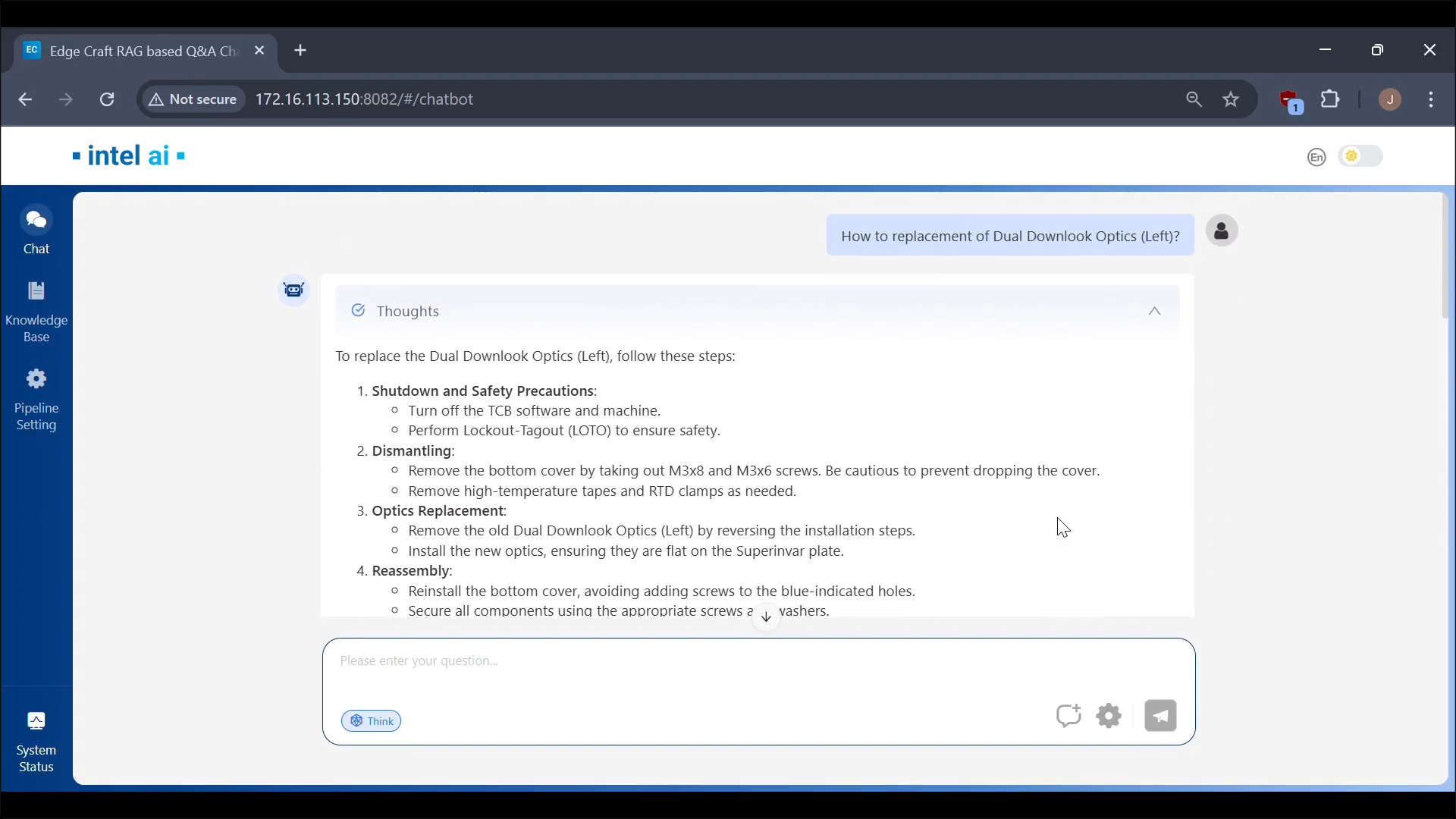
Here’s a comparison with experience activated and not activated:
Without experience:
Activated experience:
RAG Answer: